




A standalone barcode printer is a barcode label printer that can operate without a computer or network connection.
The IDPRT IE4P is a 4-inch standalone barcode printer with USB Host that enables fully offline label printing. It allows users to print labels directly from barcode scanners or USB keyboards using preloaded templates, without relying on a PC or network. This makes it ideal for warehouses, production lines, service counters, and temporary workstations where PC-based printing is impractical or unavailable.
This article explains how offline barcode printing works in practice and how the IDPRT IE4P standalone barcode printer enables scan-to-print and manual input workflows using barcode scanners and USB keyboards.
What Is a Standalone Barcode Printer?
A standalone barcode printer is designed to print labels independently, without relying on a PC, installed software, or a network connection.
In many real-world labeling environments, a computer is not practical. Production lines, warehouses, service counters, and repair stations often need labels printed immediately, on site, and without relying on a PC or network.
Unlike traditional barcode printers that require continuous communication with a computer, a standalone printer stores label templates, fonts, and graphics locally. Data is entered directly through peripherals such as barcode scanners or USB keyboards, allowing labels to be generated instantly—even in fully offline environments.
Offline barcode label printing offers clear advantages:
No dependency on PCs, drivers, or operating systems
No network setup, configuration, or downtime risks
Faster, more reliable label output at the point of work
Next, let’s look at these offline workflows in more detail, including scan-to-print and keyboard-based input.
Standalone Scan-to-Print for Offline Barcode Labeling
One of the most efficient offline workflows is scan-to-print.
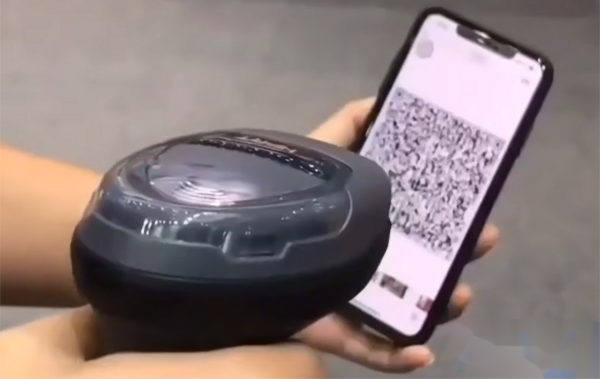
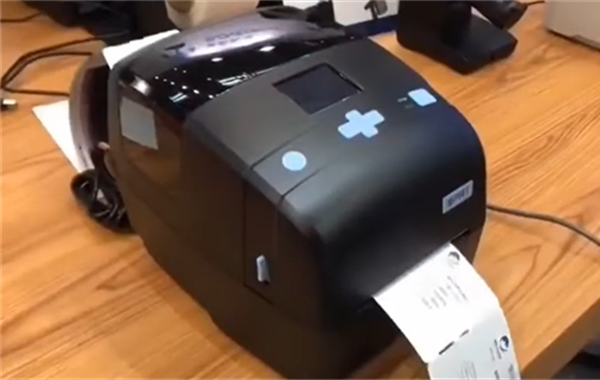
The IDPRT IE4P connects directly to a barcode scanner via its USB Host port, creating a simple and reliable workflow:
- 1 Scan an existing barcode or QR code— such as a product serial number barcode, a return label, or a digital QR code for visitor registration
- 2 The printer captures the scanned data
- 3 The label prints instantly using a preset template
Typical Use Cases
Notably, the IDPRT IE4P offline barcode label printer also supports wireless Bluetooth barcode scanners, enabling operators to scan items within a wider area while maintaining fully offline printing. This is useful in warehouses, event venues, and temporary labeling stations where mobility is required.
In high-volume environments, reducing manual data entry significantly lowers error rates. Industry studies from logistics associations consistently show that barcode scanning is far more accurate than manual typing, especially under time pressure.
This setup effectively creates a standalone barcode printer and scanner system that works even when the network is unavailable.
Offline Printing with a USB Keyboard for Manual Data Input
Some applications require manual input rather than scanning.
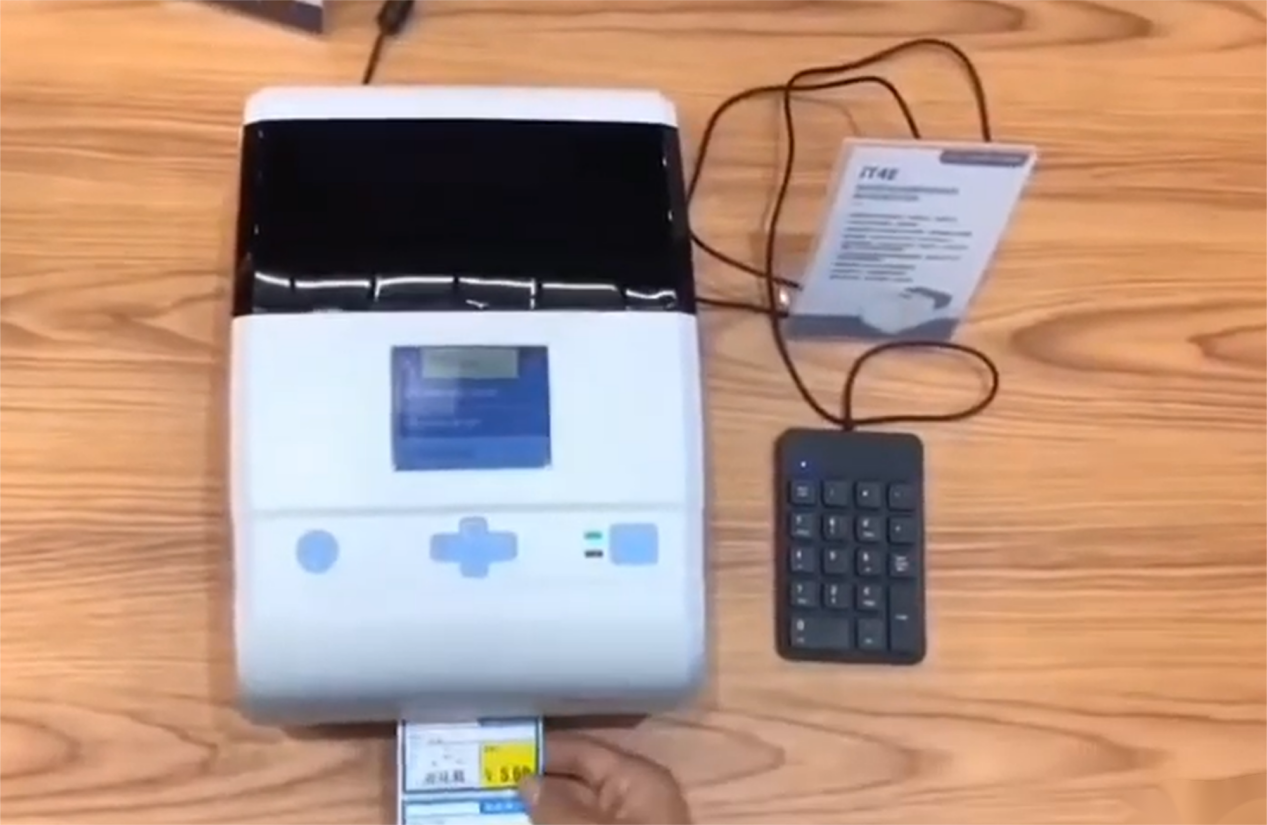
The IDPRT IE4P features a user-friendly control panel and a 2.4-inch color TFT display. When a USB keyboard is connected via the USB Host port, users can:
- Select a label template on the printer screen
- Enter product code / SKU, serial numbers, batch codes, or dates
- Print labels immediately
The IDPRT IE4P is a high-performance standalone barcode printer for small businesses and warehouses, and is widely used for:
- Small-run product labels and retail price tags
- Maintenance and service labels
- Temporary or custom identifiers
IDPRT IE4P: Standalone Barcode Printer for Offline Warehouse & Asset Labeling
Offline label printing places higher demands on stability, processing capability, and ease of operation. The IDPRT IE4P is a 4-inch barcode printer with USB Host support and multiple connectivity options, and it meets these requirements through its hardware design and system resources.
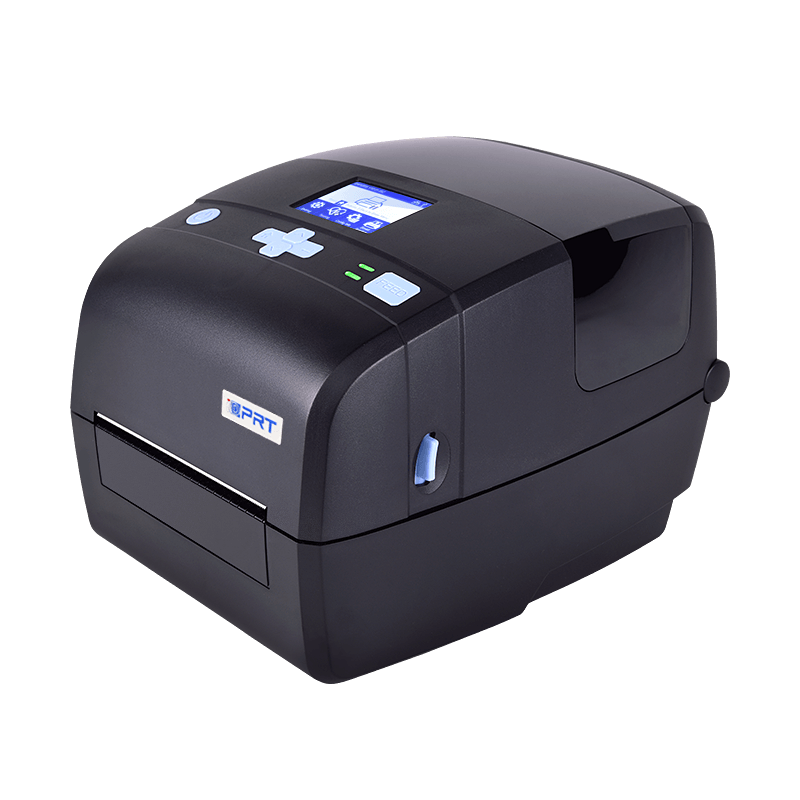
- Resolution: 203dpi,300dpi
- Print method: Direct Thermal and Transfer Thermal
- Max. print speed: 8ips @ 203dpi, 6ips @ 300dpi
- Max. print width: 4.25"(108mm) @ 203dpi, 4.17"(106mm) @ 300dpi
- Memory: 128 MB Flash / 256 MB RAM
● High-speed, high-resolution printing
203 dpi / 300 dpi output for clear barcodes, QR codes, text, and graphics; reliable scanning in logistics, warehouse, and production environments.
● Direct thermal and thermal transfer printing
Compatible with both short-term paper labels and durable media for long-term identification
● Large onboard memory for standalone operation
128MB RAM + 256MB Flash for storing multiple label templates, fonts, and graphics locally
● Free BarTender label design software
Easy creation of professional, well-formatted pre-designed label templates on a PC and download them to the printer for offline use
● Flexible options and accessories
Support for external label roll holder, cutter module, and peeler module, allowing the printer to be configured for different deployment scenarios and application requirements
This scan to print label printer performs reliably in offline labeling workflows and is well suited for warehouses, manufacturing sites, service operations, asset management, and other environments where labels must be printed without a computer or network connection.
Partner with IDPRT
IDPRT offers a comprehensive range of desktop and industrial standalone barcode printers. From factory production lines and warehouses to badge printing and visitor management, IDPRT printers are deployed in environments where reliability, flexibility, and ease of operation are essential.
As a professional barcode printer manufacturer with global operations, IDPRT combines in-house R&D, large-scale manufacturing, and long-term industry experience to support customers and partners worldwide. Our product portfolio addresses the needs of system integrators, solution providers, and end users seeking stable, scalable, and cost-effective standalone labeling solutions across manufacturing, logistics, healthcare, events, and asset identification applications.
Ready to Build Your Offline Labeling Workflow?
Frequently Asked Questions (FAQ)
Q1: What is a standalone barcode printer?
A standalone barcode printer can print labels without a computer or network. It works directly with a barcode scanner or USB keyboard and is ideal for offline labeling.
Q2: What does scan-to-print mean in barcode labeling?
Scan-to-print means scanning a barcode or QR code automatically prints a label using a preset template, without manual typing or a computer.
Q3: What barcode scanners are compatible with the IDPRT IE4P for scan-to-print?
The IDPRT IE4P supports both wired USB barcode scanners and wireless Bluetooth barcode scanners. Scanned data is captured directly via the USB Host interface and printed instantly using locally stored templates.
Q4: Is the IDPRT IE4P suitable for warehouse and asset labeling applications?
Yes. The IDPRT IE4P is widely used for offline warehouse labeling, asset identification, WIP tracking, and temporary labeling tasks where stable, PC-free operation is required.


